Chapters
On this page
Introduction
YouTube is a massive video streaming platform supporting video uploads, playback, and various interactions. This chapter focuses on designing a scalable video streaming system with the following core features:
- Fast video uploads
- Smooth video streaming
- Ability to change video quality
- Low infrastructure cost
- High availability and reliability
Key Statistics (2020)
- 2 billion monthly active users
- 5 billion videos watched per day
- 37% of mobile internet traffic comes from YouTube
- Available in 80 languages
- $15.1 billion ad revenue in 2019
Step 1: Understand the Problem and Scope
Core Functionalities
- Upload videos
- Watch videos
Supported Platforms
- Mobile apps, web browsers, and smart TVs
Assumptions
- Daily Active Users (DAU): 5 million
- Average Video Size: 300 MB
- Upload Limits: Max 1 GB per video
- Daily Storage Need: 150 TB
- CDN Costs: 5 million _ 5 videos _ 0.3GB * $0.02 = $150,000/day (using Amazon CloudFront)
Step 2: High-Level Design
Components
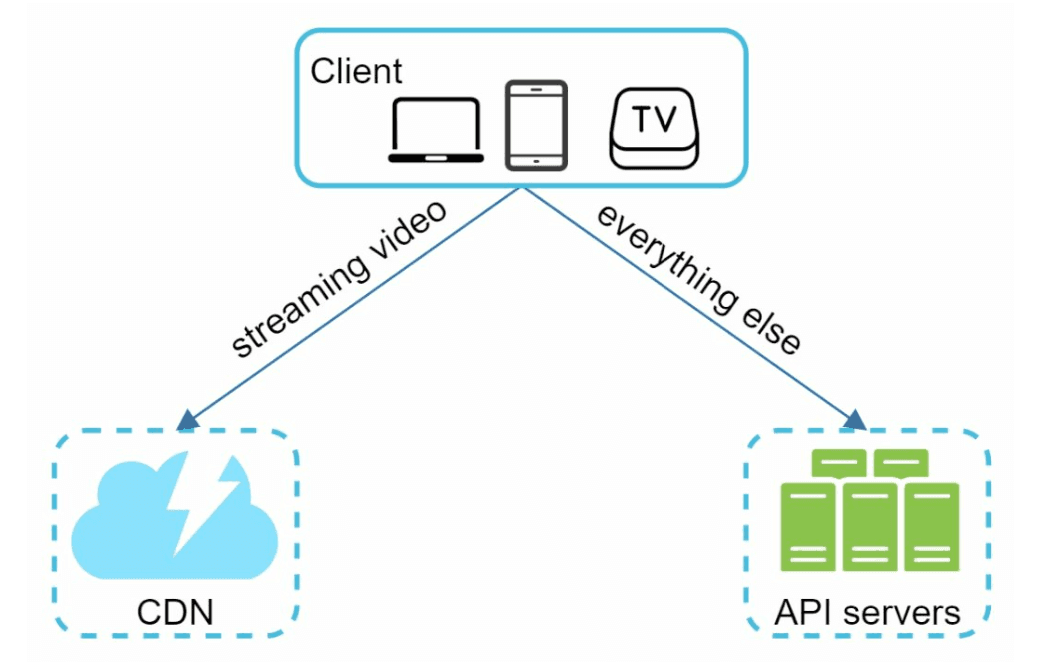
- Client: Devices like smartphones, computers, and TVs.
- CDN (Content Delivery Network): Stores and streams videos.
- API Servers: Handles all user interactions except video streaming (e.g., uploads, metadata updates).
- Metadata Database: Stores video metadata (e.g., title, description, size).
- Original Storage: Blob storage for uploaded videos.
- Transcoding Servers: Convert videos into multiple resolutions and formats.
- Transcoded Storage: Blob storage for transcoded videos.
Core Workflows
1. Video Uploading Flow
-
Parallel Processes:
- Upload video to original storage.
- Update video metadata in the database.
-
Video Upload (Steps):
- [1] Videos are uploaded to blob storage. - [2] Transcoding servers convert videos to multiple formats. - [3] One trasncoding is complete, following two steps are exectued in parallel. - [3a] Transcoded videos are sent to transcoded storage. - [3b] Transcoding completion events are queued in the completion queue. - [3a.1] Videos are distributed to the CDN. - [3b.1] Completion handlers update metadata and inform users.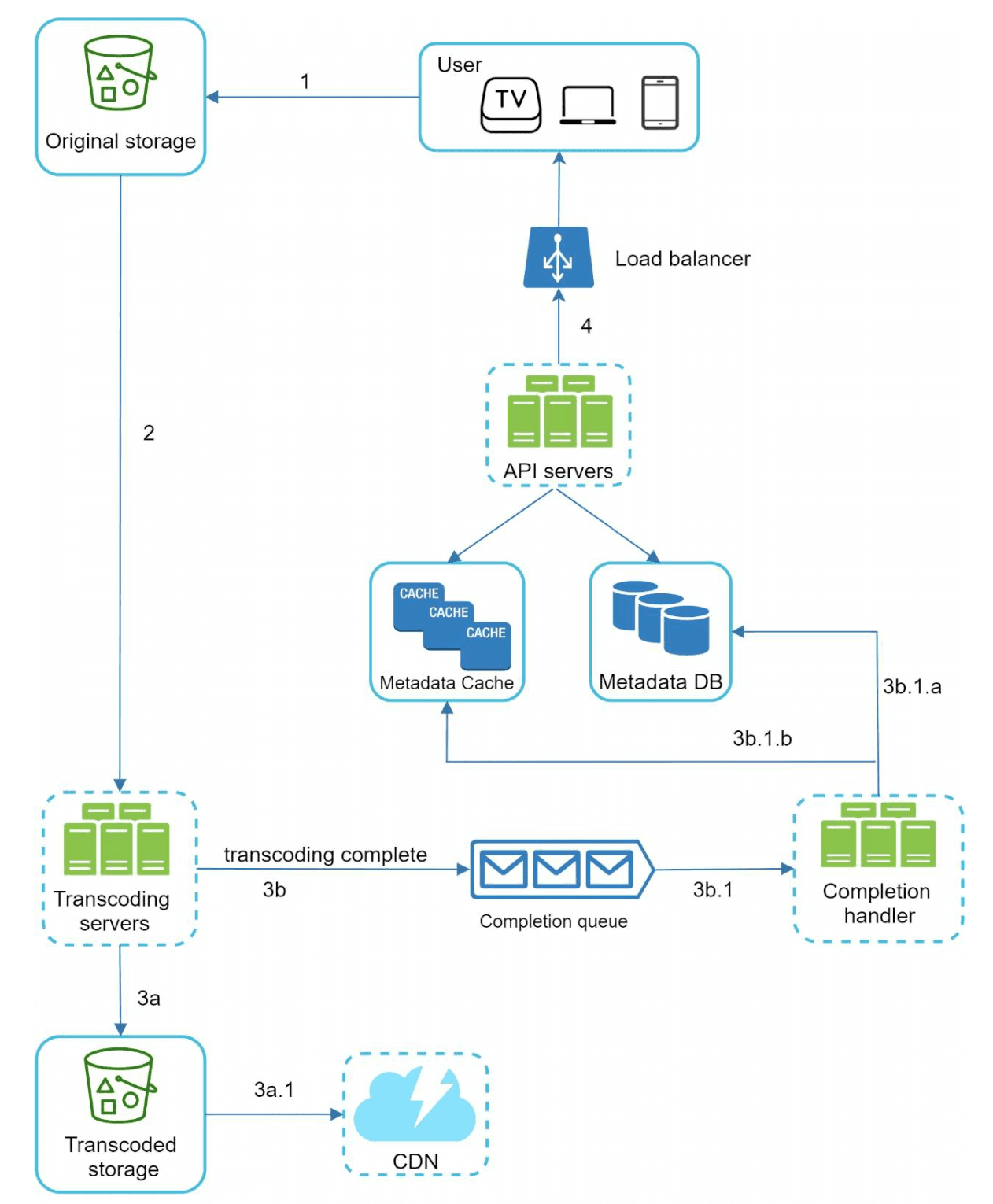
-
Metadata Upload (Steps):
- The client in parallel sends a request to update the video metadata - The request contains video metadata, including file name, size, format, etc.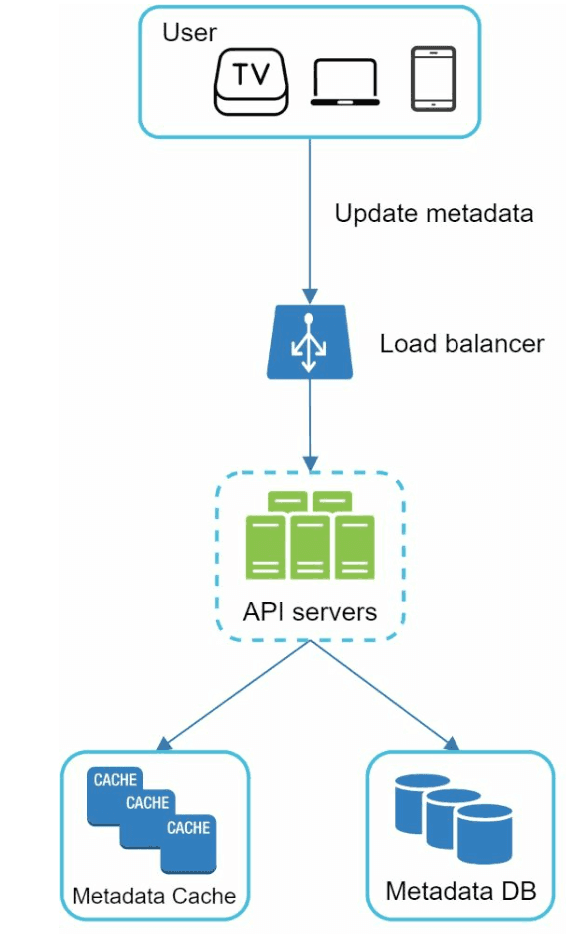
2. Video Streaming Flow
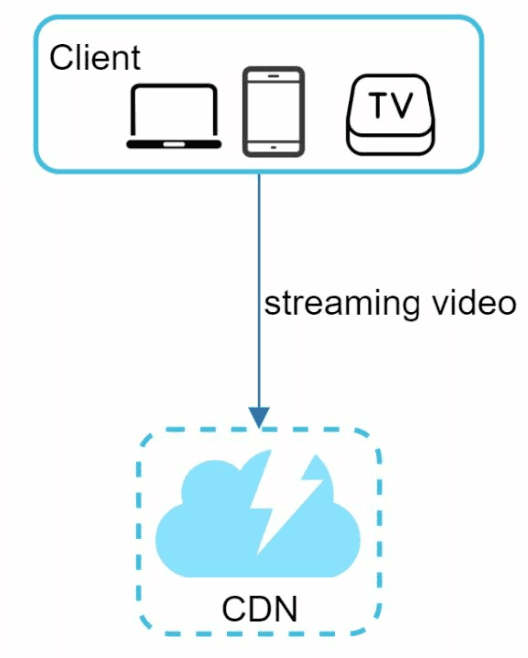
- Videos are streamed directly from the CDN using edge servers to minimize latency.
- Some of te popular streaming protocols are MPEG_DASH, Apple HLS, Adobe HDS.
- Different streaming protocols support different video encodings and playback players.
Step 3: Design Deep Dive
Video Transcoding
Importance
- Raw video consumes large amounts of storage space. It Reduces storage space.
- Ensures compatibility across devices and browsers.
- Adapts video quality to network conditions.
Components
- Container: Encapsulates video, audio, and metadata (e.g., MP4, AVI).
- Codecs: Compression and Decompression algorithms (e.g., H.264, VP9).
Directed Acyclic Graph (DAG) Model
-
Transcoding a video is computationally expensive and time-consuming.
-
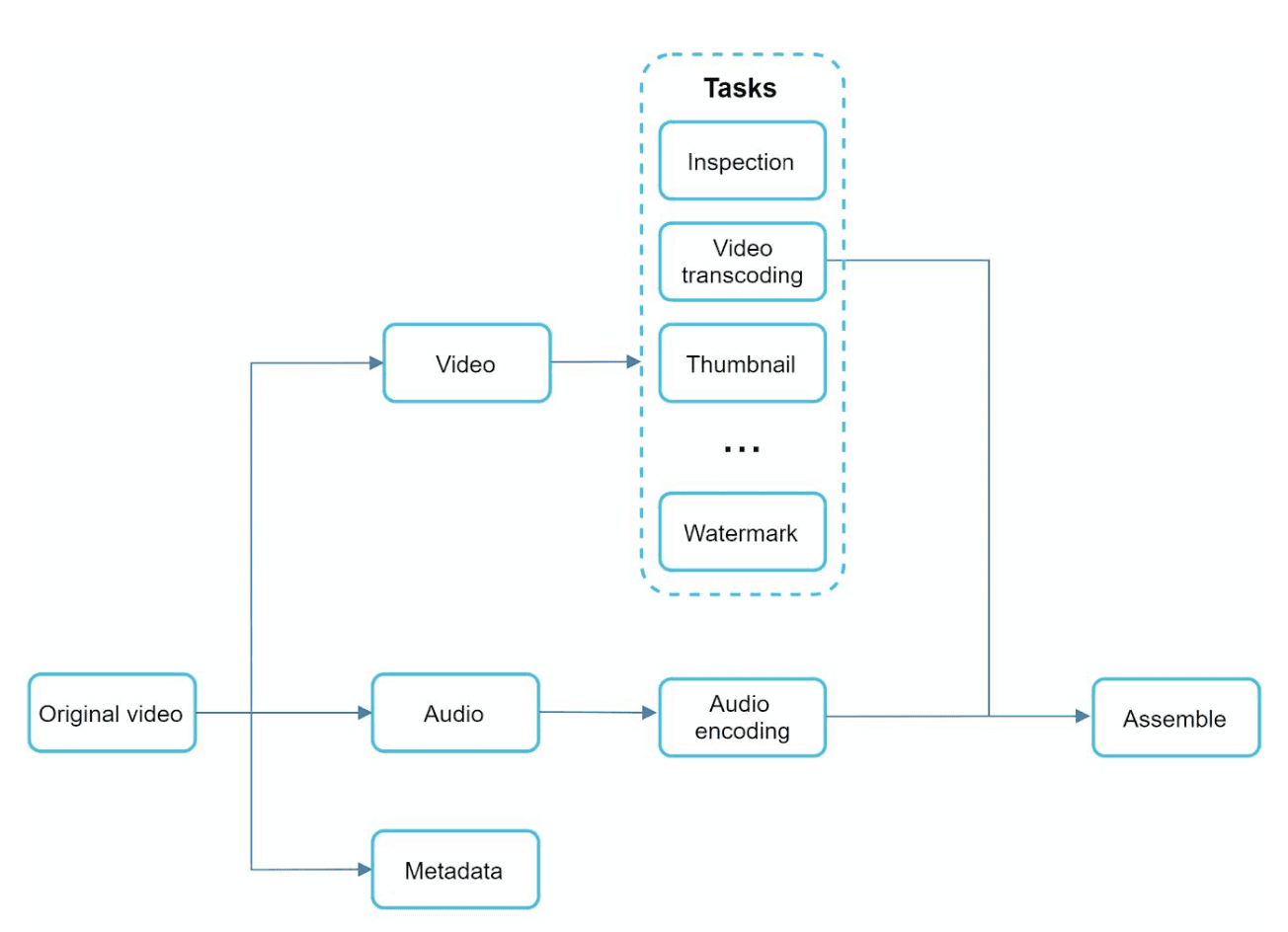
DAG Model defines tasks like encoding, thumbnail generation, and watermarking.
-
Allows high parallelism in video processing.
-
The original video is split into video, audio, and metadata.
- Video encodings: Videos are converted to support different resolutions, codec, bitrates.
- Thumbnail: It can either be uploaded by a user or automatically generated bythe system.
- Watermark: Image overlay on top of your video contains identifying information about the video.
Video Transcoding Architecture
-
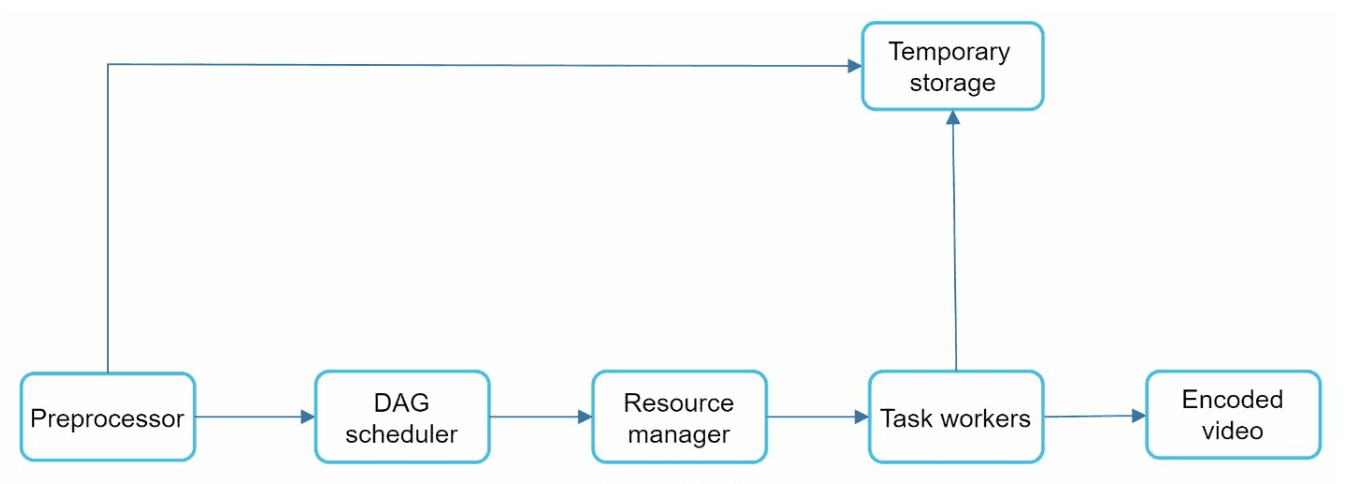
Preprocessor: Splits videos into smaller chunks (GOP alignment). It has 4 responsibilities.
- Video splitting: Video stream is split or further split into smaller Group of Pictures (GOP) alignment. - It split videos by GOP alignment for old clients. - It generates DAG based on configuration files client programmers write. - It stores GOPs and metadata in temporary storage in case the encoding fails, the system could use persisted data for retry operations.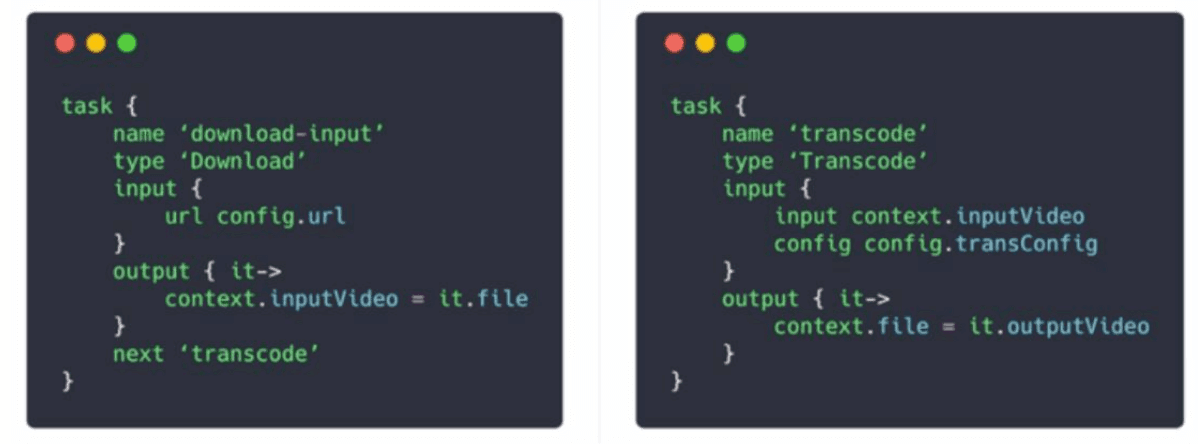
-
DAG Scheduler: Organizes tasks into sequential or parallel stages.
- It splits a DAG graph into stages of tasks and puts them in the task queue in the resource manager. - Stage 1: video, audio, and metadata. - The video file is further split into two tasks in stage 2: video encoding and thumbnail.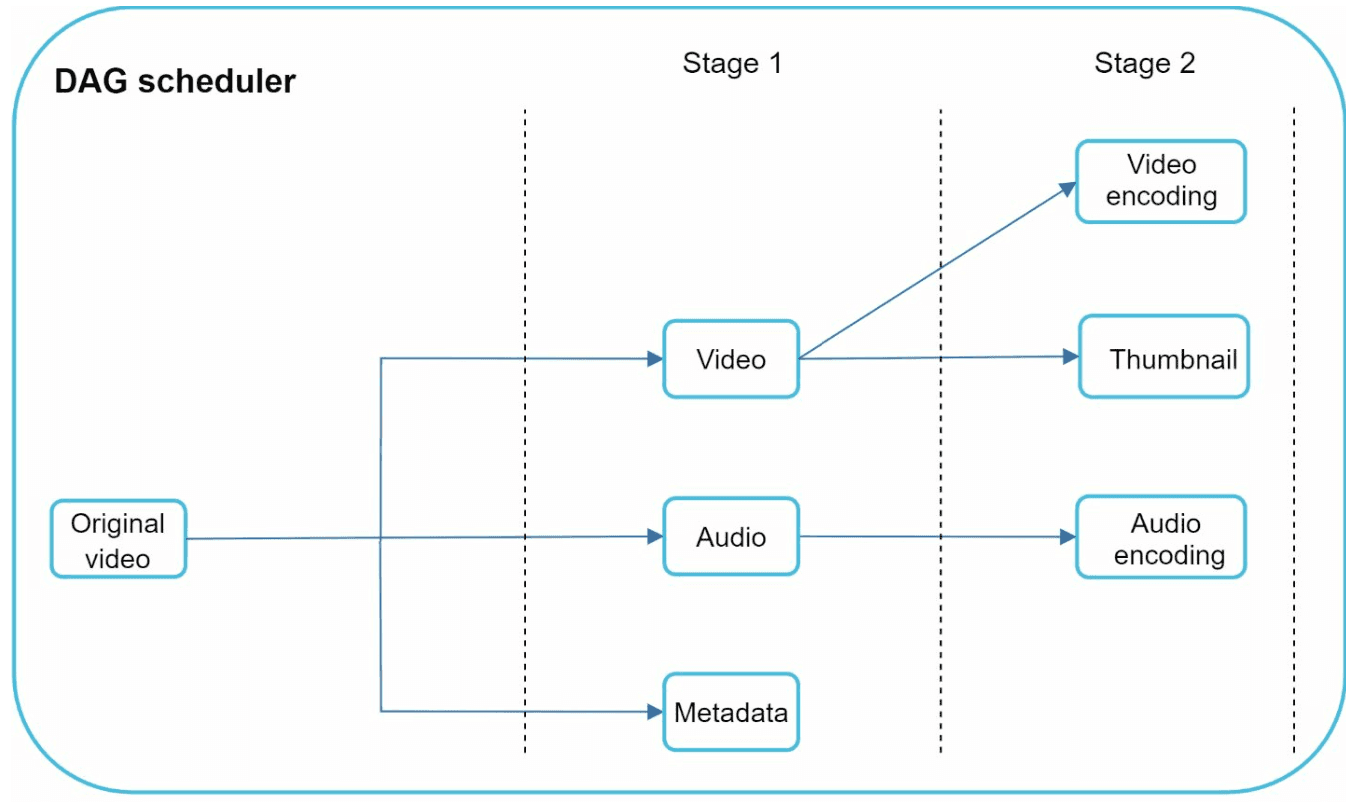
-
Resource Manager: Responsible for managing the efficiency of resource allocation.It contains 3 queues and a task scheduler.
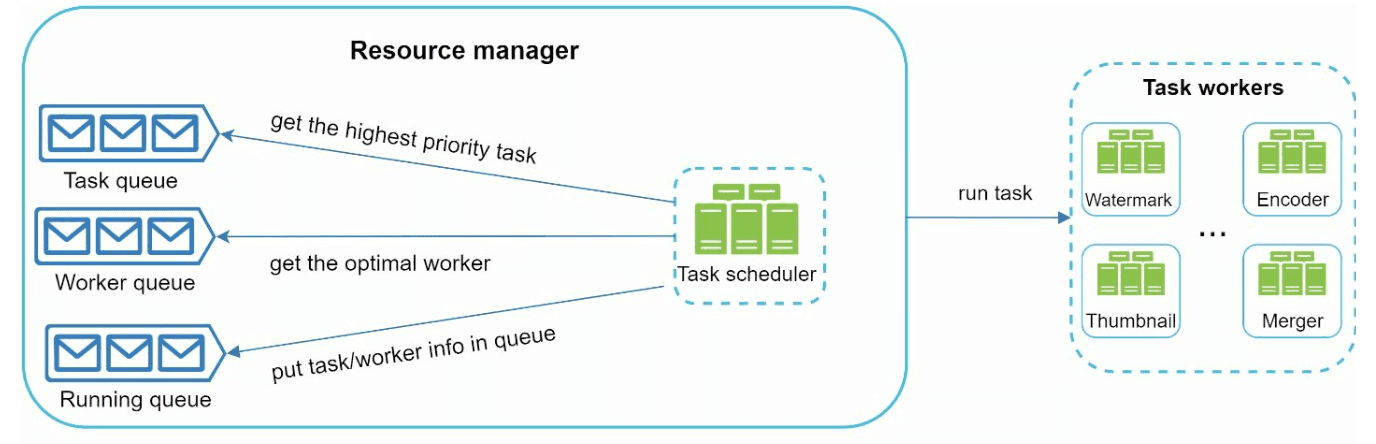
- Task queue: priority queue that contains tasks to be executed. - Worker queue: priority queue that contains worker utilization info. - Running queue: contains currently running tasks and workers running the tasks. - Task scheduler: picks the optimal task/worker, and instructs the chosen task worker to execute the job. -
Task Workers: Perform transcoding and other operations.
- Different task workers may run different tasks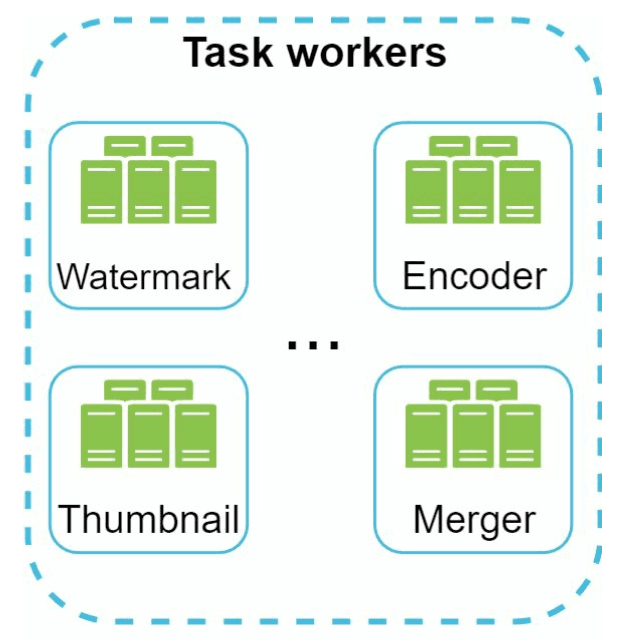
-
Temporary Storage: Stores intermediate data for retries.
- The choice of storage system depends on factors like data type, data size, access frequency, data life span, etc.
-
Output: Transcoded videos ready for distribution.
System Optimizations
Speed Optimizations
- Parallel Video Uploads: Split videos into smaller chunks for faster, resumable uploads.

- Distributed Upload Centers: Use CDNs as upload hubs close to users.
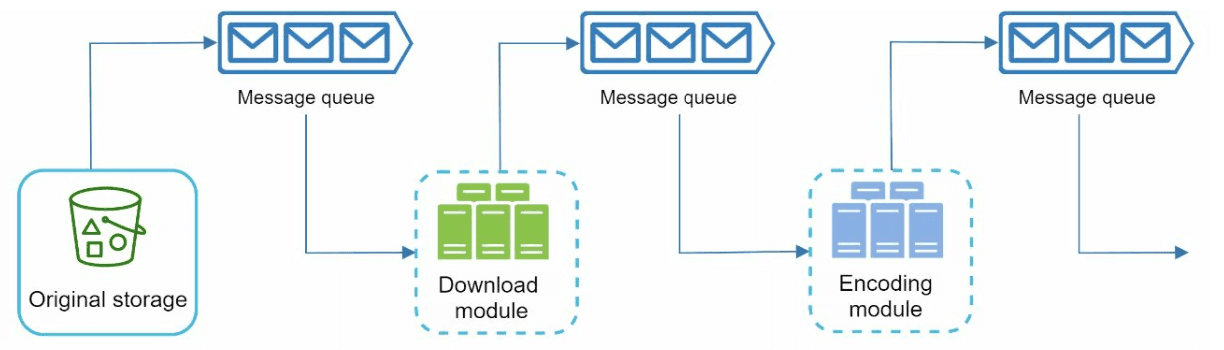
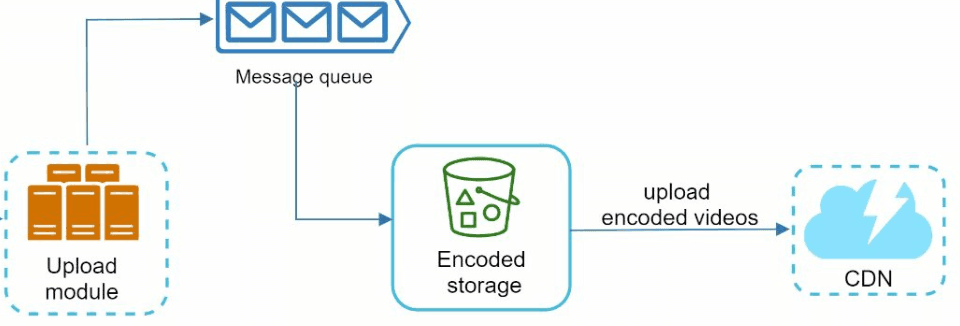
- Parallel Processing: Decouple modules using message queues for high parallelism.
Safety Optimizations
- Pre-Signed URLs: Restrict video uploads to authorized users.
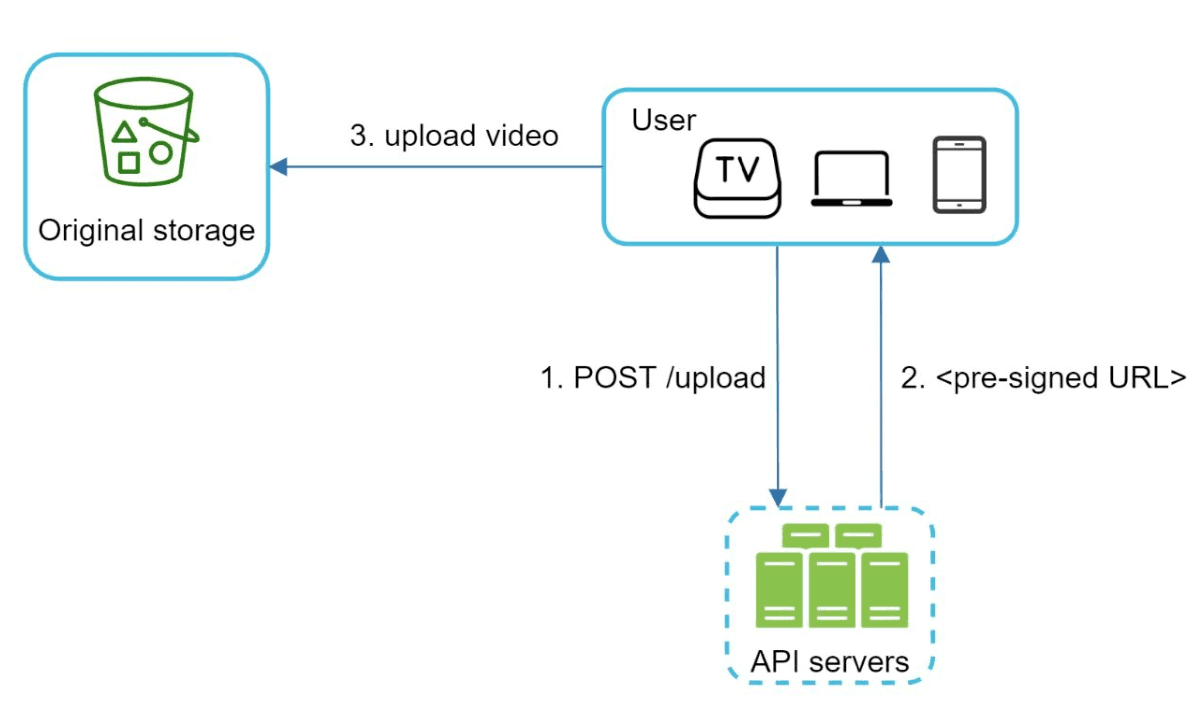
- Protect Videos:
- DRM Systems (e.g., Apple FairPlay, Google Widevine).
- AES Encryption.
- Watermarking.
Cost-Saving Optimizations
- Serve only popular videos via CDN; less popular ones from high-capacity servers.
- Encode on-demand for rarely accessed videos.
- Regionalize video distribution based on popularity.
- Build custom CDNs and partner with ISPs to reduce bandwidth costs.
Error Handling
Recoverable Errors
- Retry failed uploads, transcoding, or resource allocation tasks.
Non-Recoverable Errors
- Stop malformed video processing and return error codes.